Keybindings
Every key on every screen of gh-select.
ctrl+c quits from every screen. Where a search or filter box holds text, the first press clears it and the second quits. Pressing ? on an empty repository search shows the list screen's keys in the app, together with credits and your API rate limits.
Repository list
Bare keys are search input here, so actions use tab and ctrl combinations.
| Key | Action |
|---|---|
| type | filter the list, or search GitHub |
tab | next scope: my repos, starred, GitHub search |
shift+tab | previous scope |
ctrl+s | next sort |
ctrl+t | next color theme, remembered |
ctrl+g | next border style, this session only |
ctrl+o | toggle Nerd Font icons, this session only |
↑ ↓, pgup pgdn, home end | move |
enter | open the action menu |
esc | clear the search, then leave GitHub scope, then quit |
backspace | delete a character |
ctrl+x | mark or unmark a repository you own for deletion |
ctrl+d | review and delete every marked repository |
? | credits, keys and rate limits, on an empty search |
ctrl+c | clear the search, or quit |
Filter tokens such as lang:go and is:fork are typed into the search. See filter tokens.
Help overlay
Opened with ?.
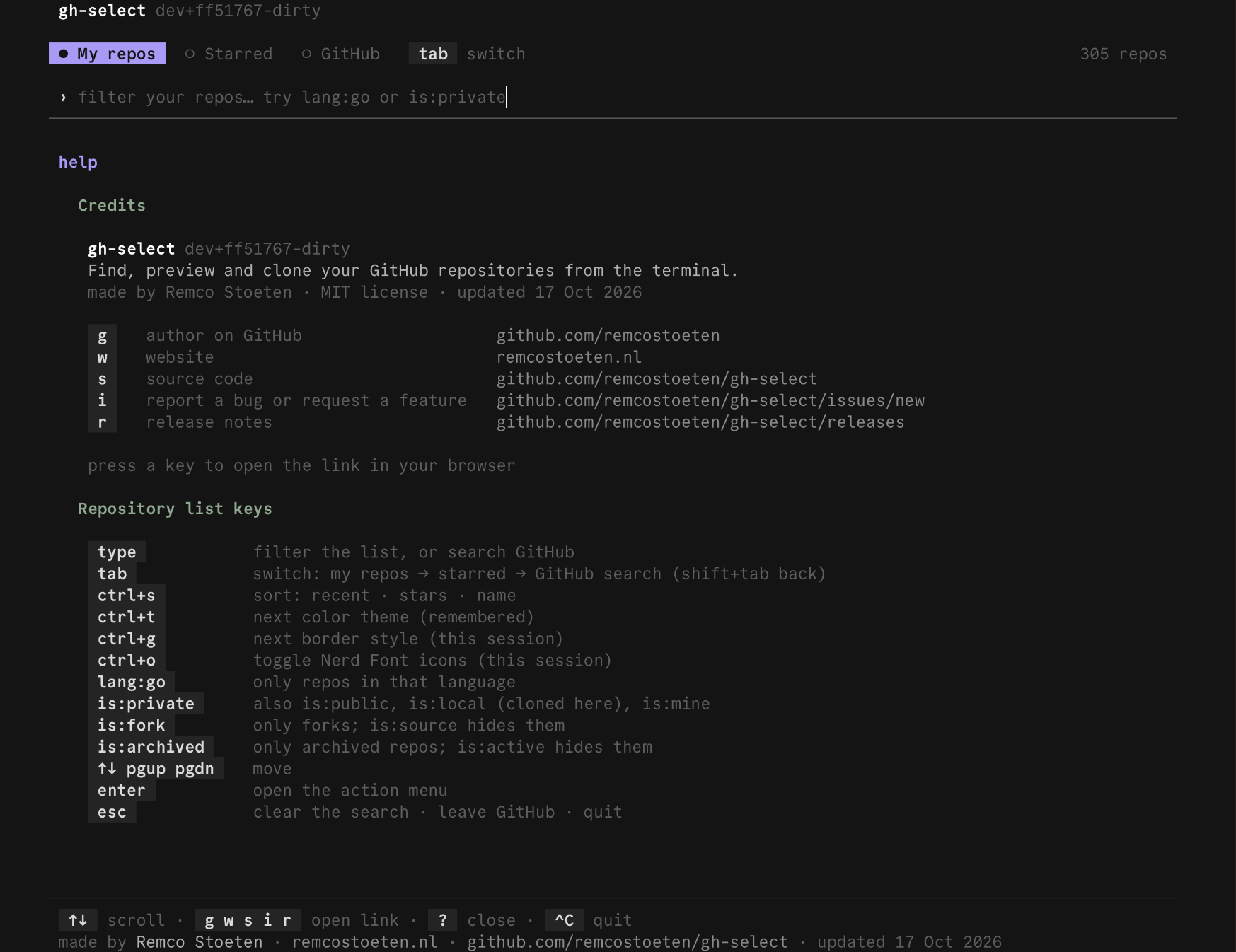
| Key | Action |
|---|---|
↑ ↓, k j, pgup pgdn | scroll |
g | open the author's GitHub profile |
w | open the author's website |
s | open the source code |
i | open a new issue |
r | open the release notes for your version |
?, esc, q, enter | close |
Action menu
| Key | Action |
|---|---|
↑ ↓, k j | move |
enter, →, l | choose |
| the row number | choose that row, so 2 picks the second entry |
esc, ←, h, backspace | back to the list |
q, ctrl+c | quit |
Tree browser
| Key | Action |
|---|---|
↑ ↓, k j | move |
enter, →, l | open a folder, or preview a file |
←, h, backspace | parent folder |
space, tab | mark or unmark a file or folder |
c | partial clone of the marked paths |
s | save the marked paths, or the highlighted one, without git |
y | copy the highlighted file's contents |
b | switch branch or tag |
o | open on github.com |
Y | copy a permalink pinned to the current commit |
r | copy the raw download URL |
/ | filter the current folder |
? | show the keys |
esc | clear the filter, then go back |
q | back to the action menu |
ctrl+c | clear the filter, or quit |
While the filter box is active, text goes into it. enter, ↑ and ↓ keep the filter and return to navigation, and esc clears it.
File preview
| Key | Action |
|---|---|
↑ ↓ | scroll |
y | copy the file's contents |
s | save the file |
o | open on github.com |
Y | copy a permalink |
r | copy the raw URL |
esc, q, ←, h, backspace | close |
Branch and tag picker
Opened with b in the tree browser and by Clone branch… in the action menu.
| Key | Action |
|---|---|
| type | search |
↑ ↓ | move |
enter | browse that ref in the tree browser, or clone it from the action menu |
esc | back |
Releases
Releases level
| Key | Action |
|---|---|
↑ ↓, k j, home g, end G, pgup pgdn | move |
/ | filter |
n | notes full screen |
o | open the release page |
y | copy the release link |
enter, →, l | open the downloads |
esc | clear the filter, then go back |
q, ←, h, backspace | back |
Downloads level
| Key | Action |
|---|---|
space | mark an asset and move down |
a | mark all, or unmark all |
v | preview a text asset |
y | copy the download link |
o | open the release page |
enter, d | download the marked assets |
x | download and unpack |
/ | filter |
esc, ←, h, backspace | back to the releases |
q | leave releases |
While a filter box is active: type filters, enter finishes, esc clears.
README and notes
| Key | Action |
|---|---|
↑ ↓ | scroll |
esc, q, ←, h, backspace | back |
Delete confirmation
| Key | Action |
|---|---|
| type | the confirmation phrase |
enter | delete, once the phrase matches exactly |
backspace | delete a character |
esc | cancel and return |
ctrl+c | clear what you typed, or quit |
Last updated on