Themes and appearance
Pick one of ten built-in themes, write your own in JSON, and change borders, icons and the background.
Built-in themes
gruvbox is the default. The others are catppuccin, dracula, everforest, graphite, kanagawa, nord, rose-pine, solarized and tokyonight. Each has a light and a dark variant, and the variant follows your terminal's background.
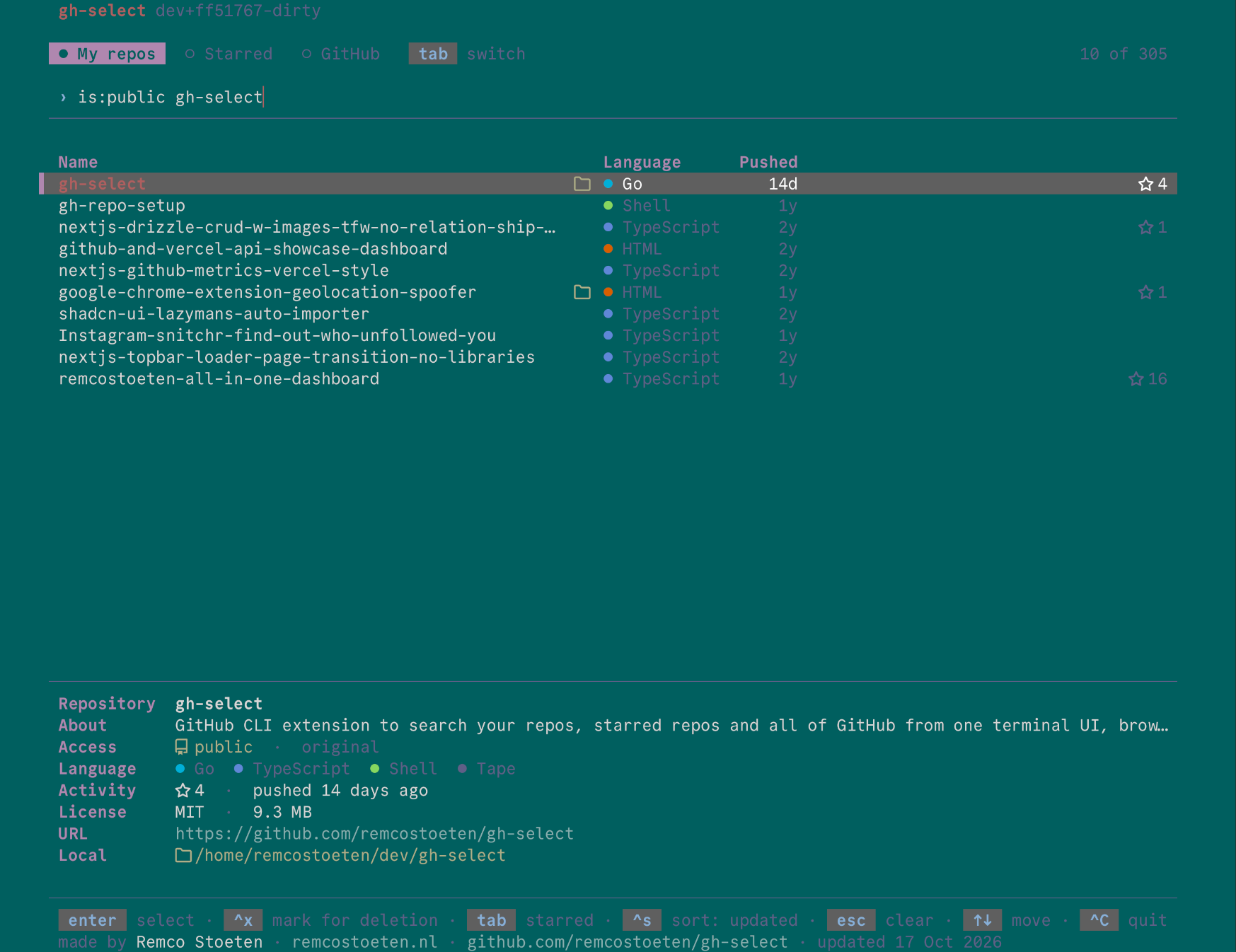
Press ctrl+t on the repository list to cycle themes in name order. The choice is saved to ~/.config/gh-select/theme (or $XDG_CONFIG_HOME/gh-select/theme) and used on the next start.
Order of precedence, first match wins:
--theme NAMEGH_SELECT_THEME- the theme saved with
ctrl+t gruvbox
When --theme or GH_SELECT_THEME is set, ctrl+t still cycles for the session but cannot save, and shows (not saved: --theme or GH_SELECT_THEME is set). A saved theme that no longer exists is ignored with a note in the footer. An unknown name passed on the command line is an error.
Custom themes
A custom theme is a JSON file in ~/.config/gh-select/themes/, named after the theme: ~/.config/gh-select/themes/midnight.json is the theme midnight. Colors you leave out come from the theme in extends, which can be built in or custom. Without extends, the base is gruvbox.
- Colors are
#rrggbb. darkapplies on a dark terminal background andlighton a light one. Set both for a theme that works everywhere.- A custom theme with the name of a built-in replaces it.
- Themes can extend each other in any file order. A loop is reported as an error.
- A broken file is skipped and reported in the footer while the others still load.
The full file format and the meaning of each color are in the theme file reference.
Borders
Panels are frameless by default. Add boxes with --border:
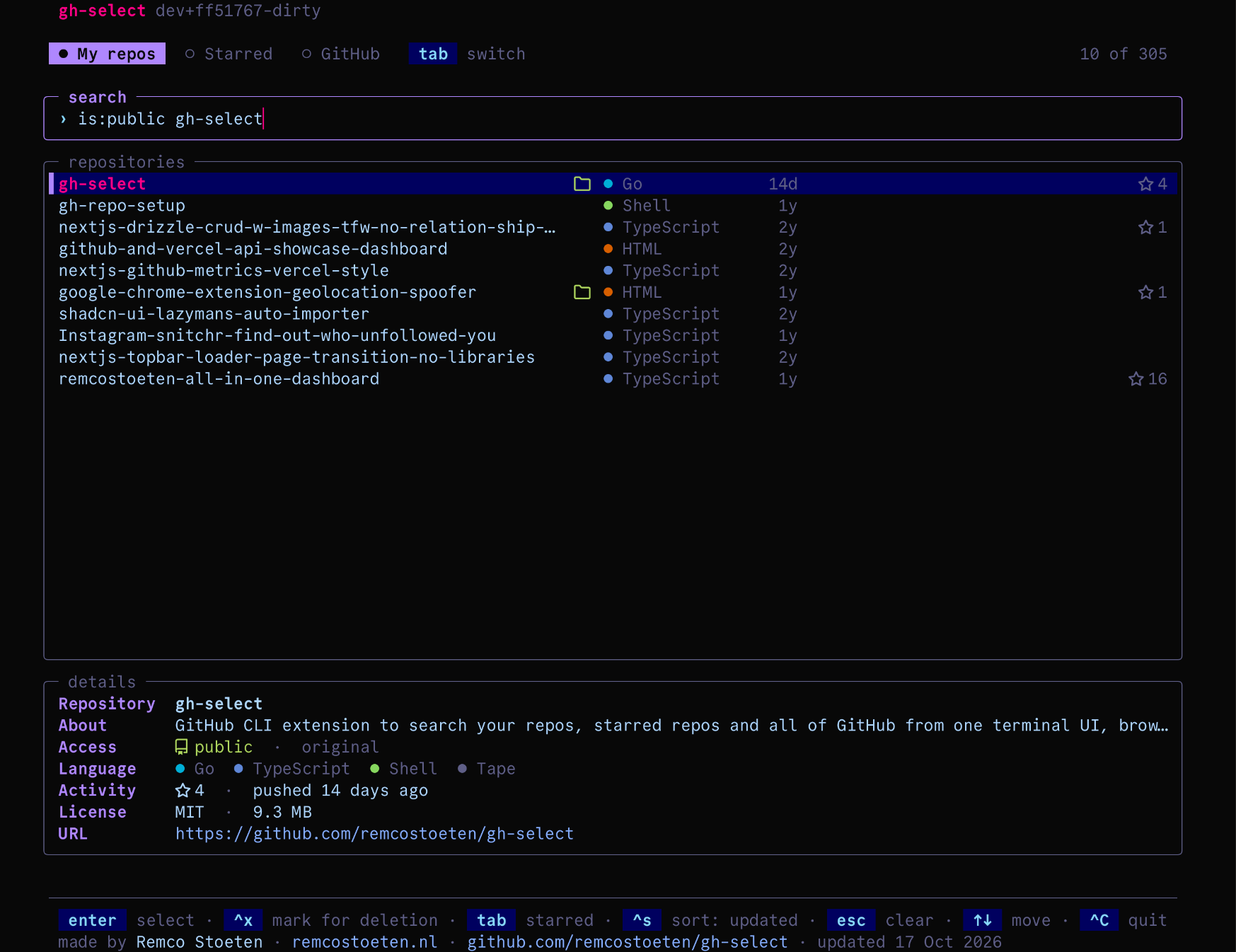
The styles are none, hidden, rounded, sharp, double and thick. hidden keeps the layout of a bordered screen without drawing the frame. ctrl+g cycles through them for the current session.
Icons
Private repositories, forks, archived repositories, local clones and stars are marked with Nerd Font icons. Without a Nerd Font in your terminal they render as empty boxes. Use words instead:
ctrl+o toggles the icons for the current session.
Transparent background
--transparent or GH_SELECT_TRANSPARENT=1 keeps your terminal's own background instead of painting the theme's.
Syntax highlighting
File previews use the gruvbox highlighting style on a dark terminal and gruvbox-light on a light one, whichever theme is active. Rendered Markdown uses the active theme's colors.
Last updated on