Cloning and local clones
Choose where clones land, open them in your editor, pull them, and let gh-select recognize repositories you already cloned.
Clone a repository
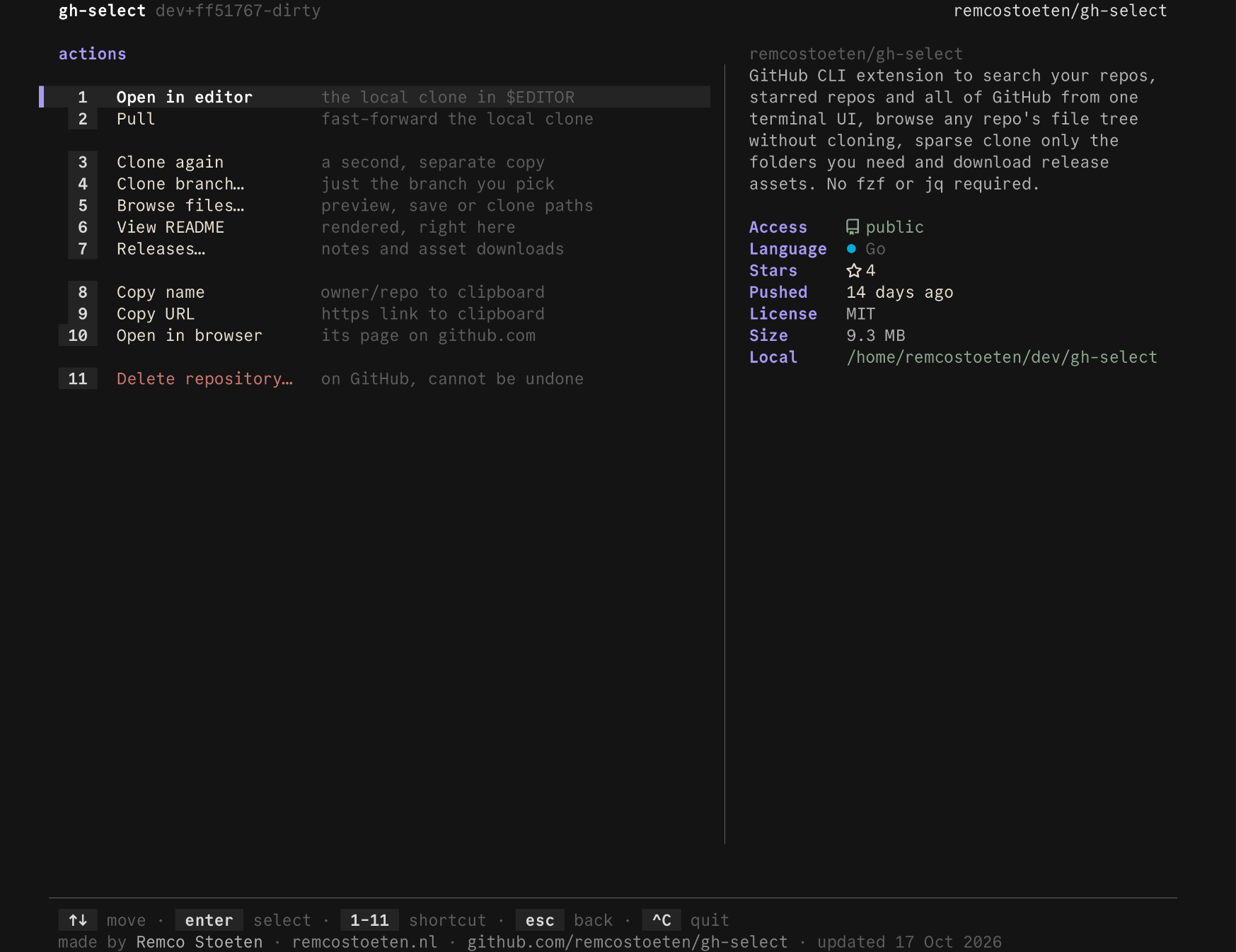
Press enter on a repository and choose Clone. A repository you have not cloned starts with Clone and Clone & open. One you already cloned starts with Open in editor and Pull, as in this screenshot:
The clone directory
By default git clones into the current directory. Set a clone root and every new clone lands in ROOT/REPO instead.
A leading ~ is expanded even inside a quoted variable. The root is created when it does not exist. gh-select refuses to clone onto a folder that already exists, and prints PATH already exists.
Clone actions
| Action | What it runs |
|---|---|
| Clone | git clone https://github.com/OWNER/REPO.git [DIR] |
| Clone & open | the clone, then your editor on the new folder |
| Clone branch… | git clone --branch BRANCH ... for the branch you pick |
| Browse files… | a partial clone of the paths you mark |
Git's progress prints to the terminal after the screen closes. In --print-path mode it goes to stderr so stdout stays clean.
Repositories you already cloned
gh-select scans for working copies and tags matching repositories local. The details block shows the path, and is:local filters the list to them. See how it works for what the scan reads and skips.
A cloned repository's action menu changes. Instead of a clone that would fail or duplicate it, it leads with:
| Action | Effect |
|---|---|
| Open in editor | opens the local clone |
| Pull | git pull --ff-only in the local clone |
| Clone again | a second, separate copy |
Where to search
The scan covers more than the clone root. In order of preference:
- Each directory in
GH_SELECT_SCAN_DIRS, five levels deep. - The clone directory, two levels deep.
- The current directory, two levels deep.
- Your home directory, five levels deep.
The list is separated like PATH, with : on Unix and ; on Windows. Setting it never hides clones the built-in roots would have found.
Your editor
Open in editor and Clone & open use the first of these that is set:
$VISUAL$EDITOR, which may include flags, as incode -w- The first of
cursor,code,zed,nvim,vimandnanofound onPATH
The editor inherits your terminal, so terminal editors work, and gh-select returns when you quit them. With none available, the action fails with no editor found, set $EDITOR.
Copy and open
| Action | Effect |
|---|---|
| Copy name | owner/repo to the clipboard |
| Copy URL | the https link to the clipboard |
| Open in browser | the repository page on github.com |
| View README | the README rendered in the terminal |
Without a clipboard tool, the value is printed with (clipboard not available) instead. Install wl-clipboard, xclip or xsel on Linux.
Last updated on