Deleting repositories
Delete one repository or many from the list, behind a retyped confirmation and the delete_repo scope.
Deletion is permanent
A repository deleted on GitHub cannot be restored by gh-select. Read the list on the confirmation screen before you type anything.
Grant the scope
GitHub requires the delete_repo scope on your token, and gh does not request it by default.
Without it, each delete is refused with OWNER/REPO: refused, the token is missing the delete_repo scope; run: gh auth refresh -s delete_repo and nothing is removed. A 404 is reported as not found, or your token has no admin access to it.
Which repositories can be deleted
Only repositories you own. Organization repositories you merely administer are excluded, because the list knows the owner's login but not your role. Pressing ctrl+x on one says OWNER/REPO isn't yours, so it can't be marked for deletion, and Delete repository… is missing from its action menu.
Delete one
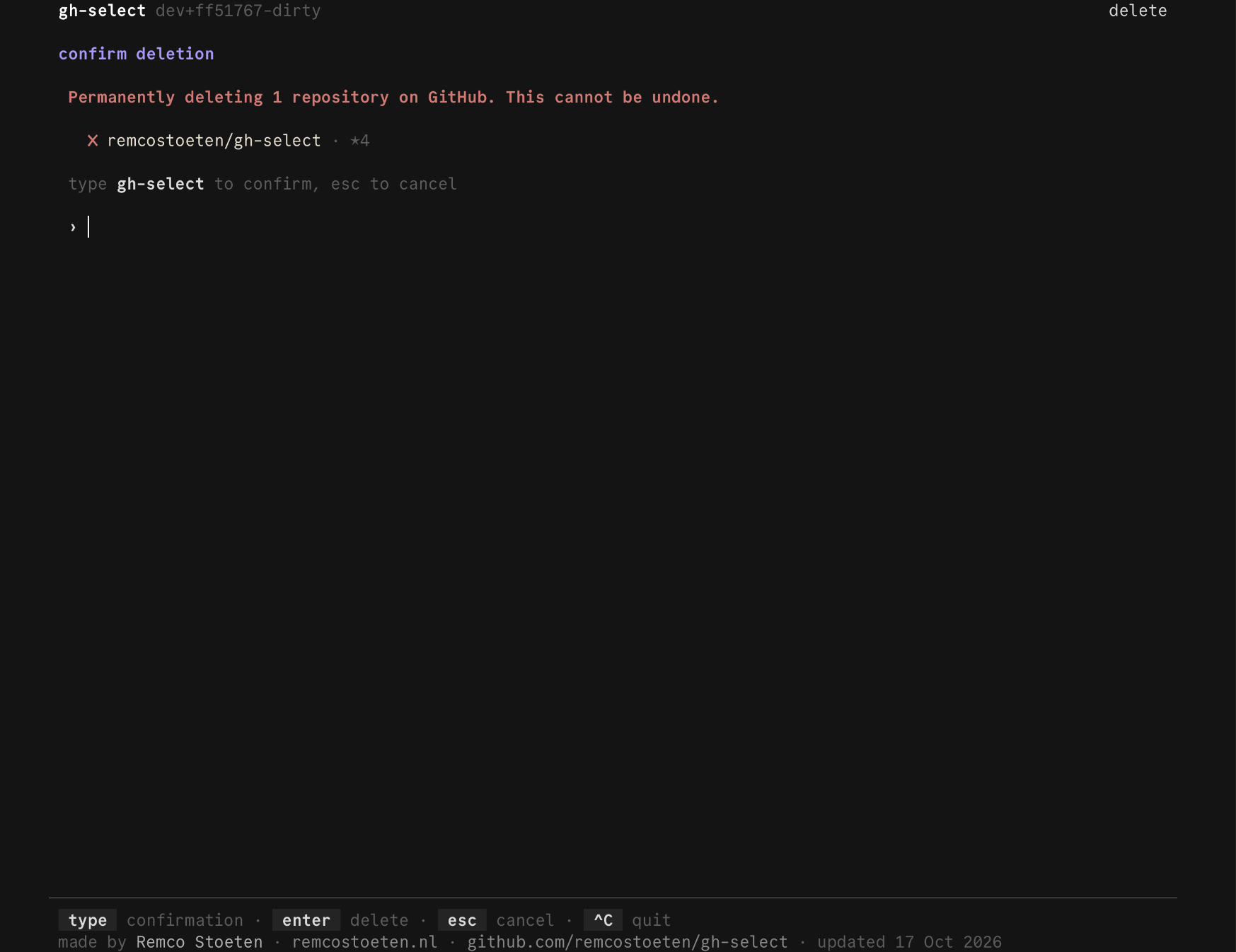
Open the repository's action menu and choose Delete repository…, the last entry, shown in red. You retype the repository's name, without the owner, and press enter.
Delete several
- On the repository list, press
ctrl+xon each repository you want gone. Marked rows get a✗, are struck through, and the panel title counts them. Pressctrl+xagain to unmark. - Press
ctrl+d. A confirmation screen lists every marked repository with its visibility and stars. - Type
DELETE N, whereNis the number of repositories, and pressenter. The count in the phrase is there so it cannot go unread.
esc cancels from the confirmation screen and keeps your marks. ctrl+c clears what you typed, and quits when nothing is typed.
The keys are ctrl-prefixed because bare keys are search input on the list.
What happens next
The screen closes and each repository is deleted in order, with one line each:
- A failure on one repository never stops the others. The failures are listed at the end as
2 of 5 deletions failed: ...and the program exits with status1. - Local clones are never touched. They are only pointed out.
- Deleted repositories are removed from the cache, so the next start does not offer them.
Last updated on